Orb Cloud
Orb is an internet experience platform that uses continuous data collection from run-anywhere sensors (Orbs) to deliver comprehensive insight into any device’s connectivity. It focuses on three key pillars: Responsiveness, Reliability, and Speed. These pillars form the basis of a 0-100 Orb Score that can be easily understood by any internet user. The Orb Score—along with its component scores and the underlying metrics—is stored on-device for local or remote access, available in Orb Cloud, or streamable to your own data platform.
Orb Cloud, accessible at https://cloud.orb.net, allows you to
- View the Status of your Orbs and manage them
- Orchestrate your Orbs with advanced deployment and configuration options
- Create event rules & alerts for your Orbs and team
- Invite Users to your shared Space
- View Analytics for individual Orbs or at scale (optional)
To use the latest Orb Cloud features, Orb app and sensor versions 1.3 and above are required.
Free plan quickstart
- Create a free account at https://cloud.orb.net
- Link an Orb to your Space
- Confirm the Orb is visible in https://cloud.orb.net/status
- Tap on the ... in next to your Orb(s) in Status, click "edit", and toggle on "Orb Cloud" and "Scores".
- After a few minutes, visit https://cloud.orb.net/analytics to see your score data.
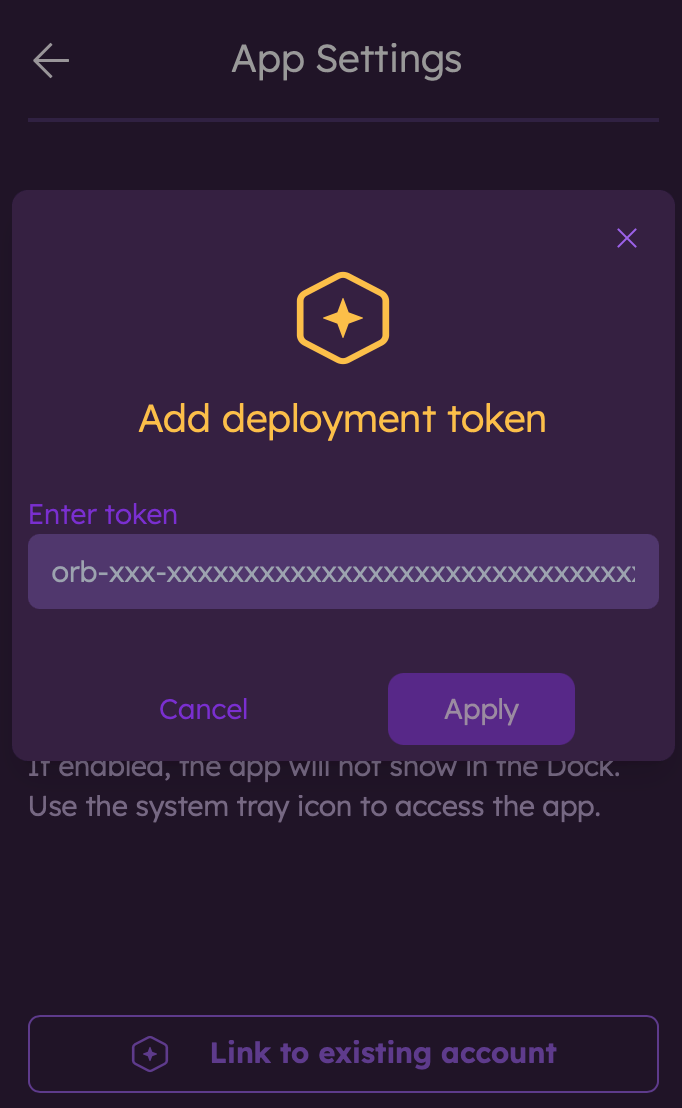
Alternatively, use a deployment token as documented under deploy and configure for both linking an Orb to your account and configuring your Orb to send score data to Orb Cloud.
You're done! As a next step, you can Configure your Orb or set up Local Analytics to create your personal internet experience dashboard.
Pro plan quickstart
- Visit https://plans.orb.net/plans-pricing, select a plan, and start a trial.
- Link an Orb to your Space using the Deployment Token generated at onboarding by opening an Orb app, tap or click the device menu button (dots) and select "Link to a Space". Paste in your Deployment Token and hit "Link with Deployment Token". See "Using Tokens for Deployment" for more details and additional options.
- Confirm the Orb is visible in https://cloud.orb.net/status
- After a few minutes, visit https://cloud.orb.net/analytics to see your data.
You're done! As a next step, you can add more Users to your Space or set up MDM.